
Download Cheque Printing Software – Free, Secure & Easy Cheque Printing for Windows, Mac, Android & iOS
Cheque Printing Software is a powerful, user-friendly tool designed to simplify cheque printing for small businesses, freelancers, and enterprise-level organizations. Whether you're managing payroll, paying vendors, or handling internal transfers, this software ensures accuracy, security, and efficiency. With a clean graphical interface and robust automation features, it eliminates the need for third-party accounting services.
The software supports multiple platforms, including Windows, Mac, Android, and iOS, making it ideal for remote teams and hybrid work environments. A fully functional free trial version is available for download, allowing users to test all features before purchasing. With built-in bank reconciliation, secure data storage, and customizable cheque templates, Cheque Printing Software streamlines financial operations while maintaining compliance and reducing human error.
Key Features of Cheque Printing Software
One of the standout aspects of Cheque Printing Software is its comprehensive feature set tailored to real-world business needs. The software allows users to create and print custom cheques with ease, using professionally designed templates that reflect your brand identity. From company logos to unique cheque layouts, customization is intuitive and fully adjustable through a drag-and-drop interface. This branding capability enhances professionalism and reduces the risk of cheque fraud by ensuring consistency across all payments.
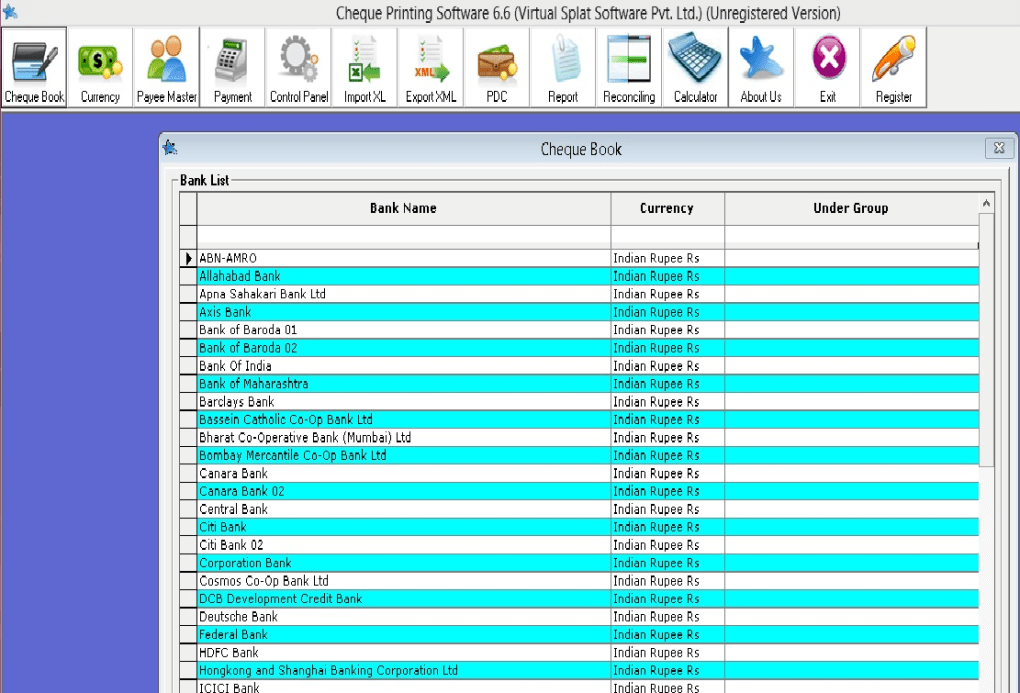
Another major advantage is the automated bank reconciliation feature. Instead of manually matching transactions, the software syncs with your bank statements and automatically verifies payments, significantly reducing accounting errors and saving hours of manual work. This is particularly beneficial for businesses with high transaction volumes or those managing multiple bank accounts.
Security is a top priority. All sensitive data—including payee names, bank details, and payment amounts—are encrypted and stored in a centralized, password-protected database. Access controls can be set to restrict who can create or approve cheques, ensuring internal accountability. Additionally, the software generates detailed daily transaction reports, providing full audit trails for compliance and financial review.
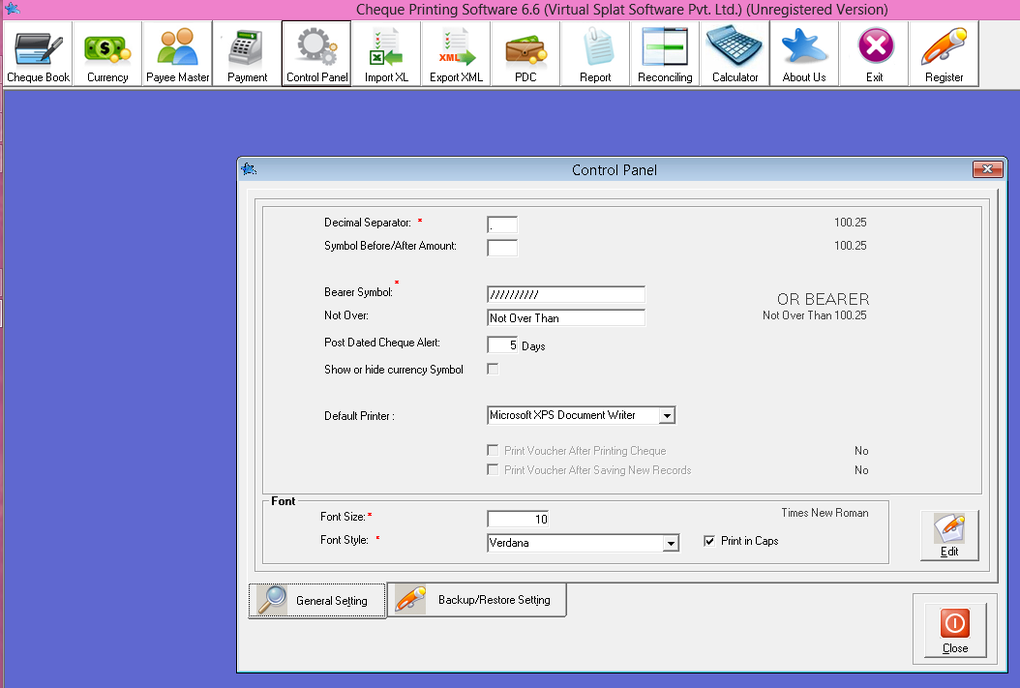
For added convenience, Cheque Printing Software supports a wide range of standard printers, including laser, inkjet, and thermal models. It also integrates seamlessly with existing accounting systems and supports batch printing, allowing users to generate multiple cheques in a single session. Whether you're printing a single payment or a payroll run for 50 employees, the process is fast and reliable.
How to Install and Use Cheque Printing Software
Installing Cheque Printing Software is straightforward and requires minimal technical knowledge. Begin by downloading the free trial version from the official website. The installer is lightweight and compatible with both Windows and Mac operating systems. Simply run the executable file, follow the on-screen prompts, and complete the setup in under five minutes.
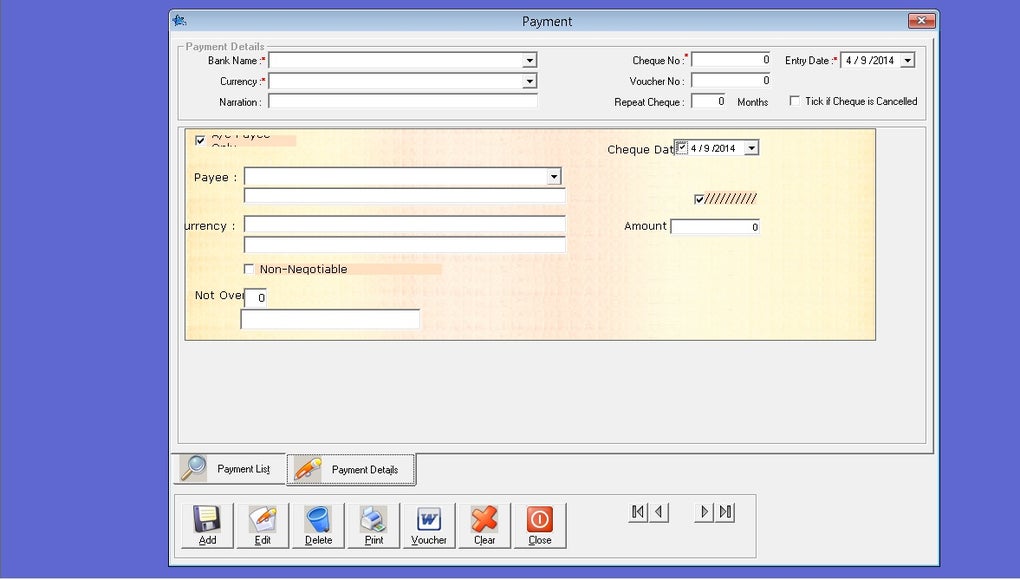
Once installed, launch the application and choose to either start a new cheque or import existing payment data. The dashboard presents a clean, intuitive layout with clearly labeled menus. To create a new cheque, select the “New Cheque” option, enter the payee’s name, amount, date, and any memo details. You can then choose from a library of customizable templates or design your own using the built-in editor.
For payroll processing, the software supports CSV or Excel file imports, enabling bulk cheque generation. After entering employee data, you can preview all cheques before printing. One-touch printing ensures that each cheque is printed with precise alignment, minimizing errors and paper waste. The software also includes a print preview mode, so you can verify formatting and layout before sending it to the printer.
After printing, the system automatically logs the transaction and updates your reconciliation records. You can also schedule recurring payments, such as monthly rent or vendor invoices, to ensure timely processing without manual intervention. All data is backed up locally or to cloud storage, depending on your preference, ensuring business continuity in case of system failure.
Compatibility and System Requirements
One of the strongest selling points of Cheque Printing Software is its cross-platform compatibility. It runs smoothly on Windows 10 and later, macOS 11 (Big Sur) and newer, and is also available as a mobile app for Android and iOS devices. This versatility makes it ideal for businesses with mixed device environments or remote employees who need to approve payments on the go.
The software is optimized for low system resource usage, requiring only 2 GB of RAM and 500 MB of free disk space. It supports both 32-bit and 64-bit systems, ensuring broad accessibility. For printing, it works with most standard printers, including HP, Canon, Epson, and Brother models, as well as thermal cheque printers used in financial institutions.
Internet connectivity is optional for basic cheque printing, but recommended for cloud backup, remote access, and automatic updates. The software checks for updates periodically and notifies users when a new version is available. These updates often include performance improvements, bug fixes, and enhanced security patches to protect against emerging threats.
For businesses with multiple users, the software supports network deployment and centralized administration. IT managers can install the software on shared workstations or deploy it via enterprise software management tools. Role-based access control ensures that only authorized personnel can initiate or approve payments, enhancing internal security and compliance.
Pros and Cons
- Pros:
- Free trial available for full feature testing
- Highly customizable cheque templates
- Automated bank reconciliation saves time
- Secure, encrypted data storage
- Supports bulk and recurring payments
- Compatible with Windows, Mac, Android, and iOS
- Intuitive GUI – no training required
- Cons:
- Advanced features require a paid license
- Mobile app lacks some desktop functionalities
- Cloud backup requires subscription
- Limited customer support in free version
- Not suitable for high-volume financial institutions
Frequently Asked Questions (FAQ)
-
Is Cheque Printing Software free to download?
Yes, Cheque Printing Software offers a fully functional free trial version that can be downloaded at no cost. The trial includes access to all core features, including custom cheque design, batch printing, and bank reconciliation. However, to unlock advanced features like cloud backup and multi-user support, a paid license is required.
-
Can I use Cheque Printing Software on my Mac and Windows PC?
Absolutely. The software is compatible with both Windows 10 and later, as well as macOS 11 (Big Sur) and newer. You can install it on multiple devices within your organization and sync data across platforms using the cloud feature.
-
Does Cheque Printing Software support mobile devices?
Yes, Cheque Printing Software offers native apps for Android and iOS. These apps allow you to view, approve, and manage cheques remotely. While the mobile version has fewer features than the desktop app, it’s perfect for on-the-go approval workflows.
-
How secure is my financial data with this software?
Security is a top priority. All data is encrypted using AES-256 encryption, and access is protected by strong password policies. The software also supports two-factor authentication (2FA) for added protection. Sensitive information is never shared with third parties.
-
Can I import payroll data from Excel or CSV files?
Yes, the software supports direct import of employee payroll data from Excel (.xlsx) and CSV files. Once imported, you can generate multiple cheques in one go, significantly speeding up payroll processing.
Conclusion: Why You Should Download Cheque Printing Software Today
If you're looking for a reliable, secure, and easy-to-use solution to manage cheque printing in-house, Cheque Printing Software is an excellent choice. Whether you're a small business owner handling monthly vendor payments or a freelancer managing client reimbursements, this tool streamlines your financial operations with minimal effort. Its intuitive design, powerful automation, and cross-platform support make it a standout option in the crowded software market.
With a free trial available, there’s no risk in testing the software before committing. The ability to customize cheques, automate reconciliation, and securely store data sets it apart from generic alternatives. While the free version has limitations, the paid upgrade offers significant value for growing businesses.
Don’t wait—download Cheque Printing Software today and take control of your financial workflow. Say goodbye to manual errors, third-party fees, and inefficient processes. Experience faster, smarter, and safer cheque printing with a tool built for modern businesses.







